Learn HTML
HTML (Hypertext Markup Language) is a standard markup
language used for creating and structuring the content on the
web. Over the years, HTML has evolved, and the latest version
is HTML5. HTML5 introduced several new features and
enhancements to improve the development of web pages and
applications
Menu
HTML Editors
A simple text editor is all you need to learn HTML.
Learn HTML Using Notepad or TextEdit
Web pages can be created and modified by using professional HTML editors.
However, for learning HTML we recommend a simple text editor like Notepad (PC) or TextEdit (Mac).
We believe that using a simple text editor is a good way to learn HTML.
Follow the steps below to create your first web page with Notepad or TextEdit.
Step 1: Open Notepad (PC)
Windows 8 or later:
Open the Start Screen (the window symbol at the bottom left on your screen). Type Notepad.
Windows 7 or earlier:
Open Start > Programs > Accessories > Notepad
Step 1: Open TextEdit (Mac)
Open Finder > Applications > TextEdit
Also change some preferences to get the application to save files correctly. In Preferences > Format > choose “Plain Text”
Then under “Open and Save”, check the box that says “Display HTML files as HTML code instead of formatted text”.
Then open a new document to place the code.
Step 2: Write Some HTML
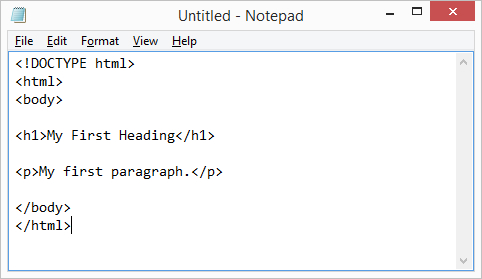
Write or copy the following HTML code into Notepad
Example
<!DOCTYPE html>
<html>
<body>
<h1>My First Heading</h1>
<p>My first paragraph.</p>
</body>
</html>
Step 3: Save the HTML Page
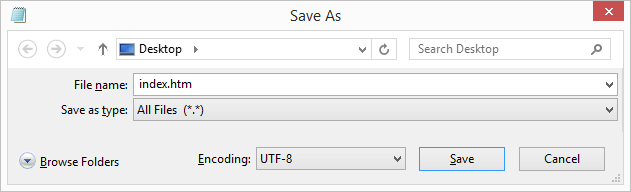
Save the file on your computer. Select File > Save as in the Notepad menu.
Name the file “index.htm” and set the encoding to UTF-8 (which is the preferred encoding for HTML files).
Step 4: View the HTML Page in Your Browser
Open the saved HTML file in your favorite browser (double click on the file, or right-click – and choose “Open with”).
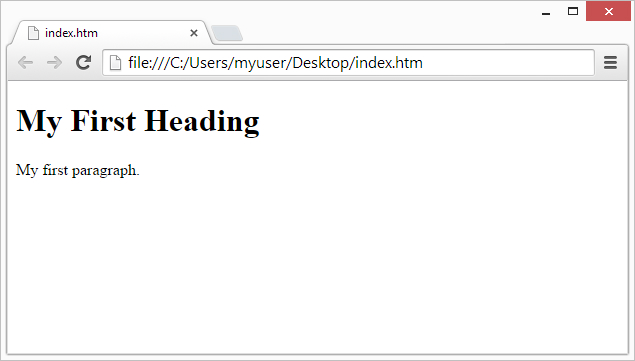
The result will look much like this:
Browser Output