CSS Outline
An outline is a line drawn outside the element’s border.
Example
<!DOCTYPE html>
<html>
<head>
<style>
p {
border: 2px solid black;
outline: #4CAF50 solid 10px;
margin: auto;
padding: 20px;
text-align: center;
}
</style>
</head>
<body>
<h2>CSS Outline</h2>
<p>This element has a 2px black border and a green outline with a width of 10px.</p>
</body>
</html>
CSS Outline
An outline is a line that is drawn around elements, OUTSIDE the borders, to make the element “stand out”.
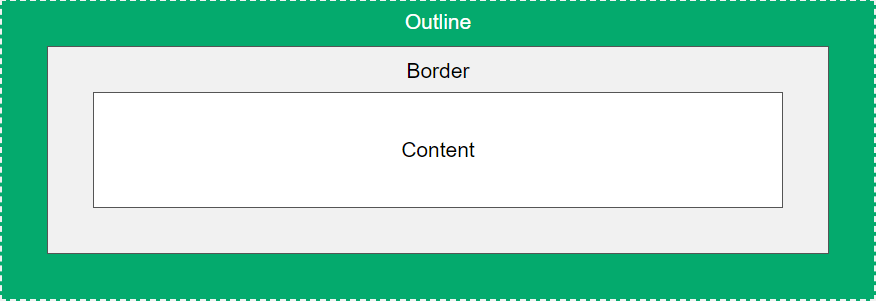
CSS has the following outline properties:
outline-styleoutline-coloroutline-widthoutline-offsetoutline
CSS Outline Style
The outline-style property specifies the style of the outline, and can have one of the following values:
dotted– Defines a dotted outlinedashed– Defines a dashed outlinesolid– Defines a solid outlinedouble– Defines a double outlinegroove– Defines a 3D grooved outlineridge– Defines a 3D ridged outlineinset– Defines a 3D inset outlineoutset– Defines a 3D outset outlinenone– Defines no outlinehidden– Defines a hidden outline
The following example shows the different outline-style values:
Example
Demonstration of the different outline styles:
<!DOCTYPE html>
<html>
<head>
<style>
p {outline-color:red;}
p.dotted {outline-style: dotted;}
p.dashed {outline-style: dashed;}
p.solid {outline-style: solid;}
p.double {outline-style: double;}
p.groove {outline-style: groove;}
p.ridge {outline-style: ridge;}
p.inset {outline-style: inset;}
p.outset {outline-style: outset;}
</style>
</head>
<body>
<h2>The outline-style Property</h2>
<p>A dotted outline</p>
<p>A dashed outline</p>
<p>A solid outline</p>
<p>A double outline</p>
<p>A groove outline. The effect depends on the outline-color value.</p>
<p>A ridge outline. The effect depends on the outline-color value.</p>
<p>An inset outline. The effect depends on the outline-color value.</p>
<p>An outset outline. The effect depends on the outline-color value.</p>
</body>
</html>